Pak Wallet
All your important cards in one private place on your phone. Bank cards, CNIC, driving license, passport and community cards, with expiry alerts and an app lock. Made for people in Pakistan.
About this app
Most of us carry a bank card or two, a CNIC, a driving license, a vehicle registration card and a few membership cards. When a form, a bank or an office asks for a detail, we dig through a wallet, a gallery full of photos, or WhatsApp chats to find it.
Pak Wallet puts all of this in one tidy list. You photograph a card once, give it a group and a name, and the card, its holder, and its issue and expiry dates are a tap away. The app tells you before a card expires, so a renewal is never a surprise.
It is built around the cards people in Pakistan actually use: banks such as Meezan and Bank Al Habib, government documents such as CNIC, Smart NICOP, passport, driving license and arms license, and community or membership cards.
Independent app. Pak Wallet is made by Buildzent and is not connected with any bank or government body. It keeps your own copies for convenience. It does not verify a card and is not an official ID.
What it does
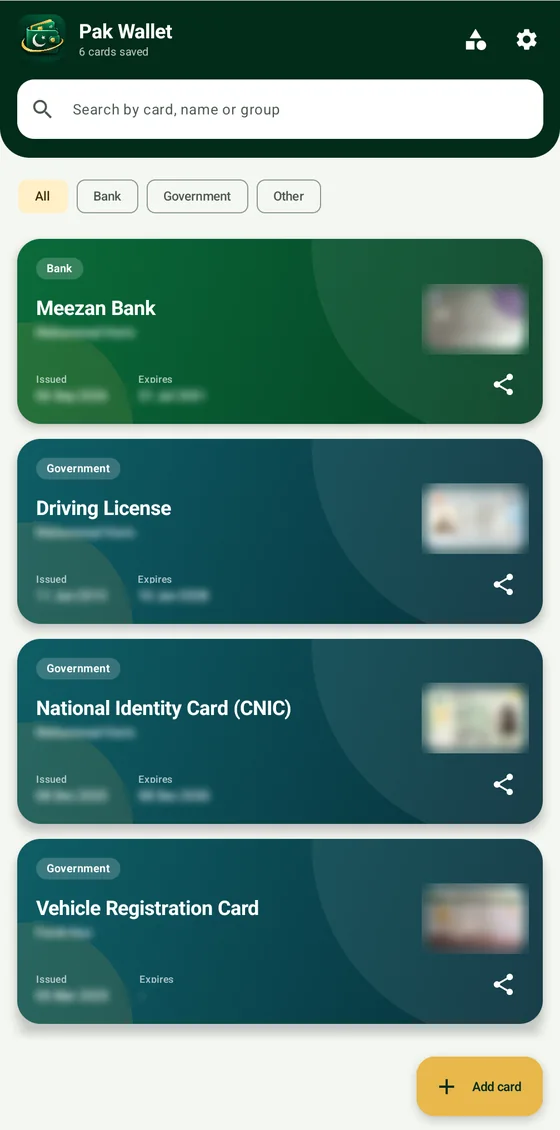
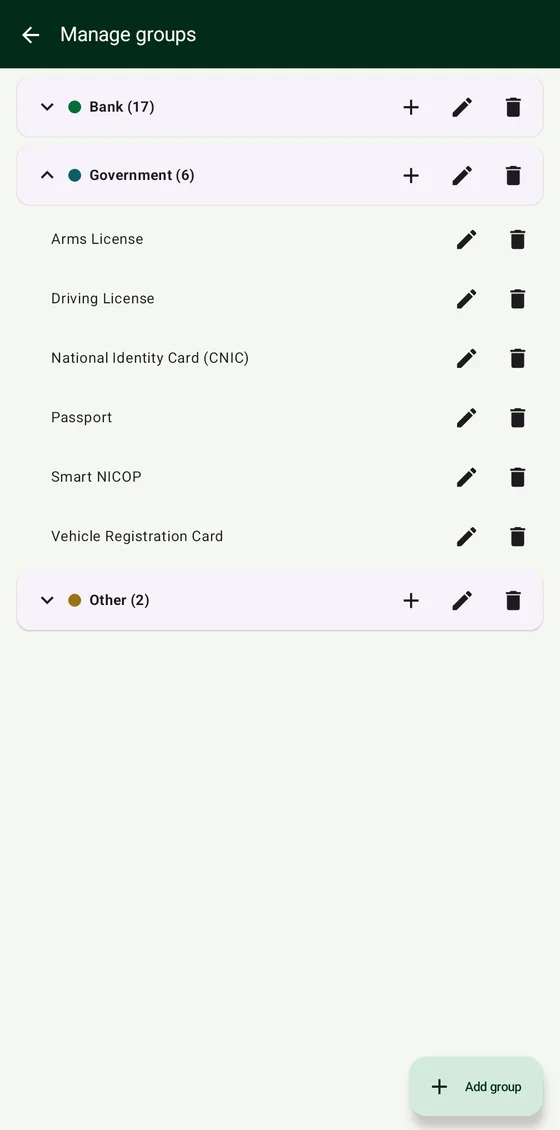
- Card groupsCards are sorted into Bank, Government and Other. Government covers CNIC, Smart NICOP, driving license, arms license, passport and vehicle registration. You can add your own groups and card names.
- Easy capturePhotograph a card and the app picks out the card area. Add the back side when you need it, and use enhance to make the picture clearer.
- Quick searchSearch by card, holder name or group, or filter with the All, Bank, Government and Other buttons.
- At-a-glance listEach card shows its group, name, holder, issue date and expiry date, with its picture beside it.
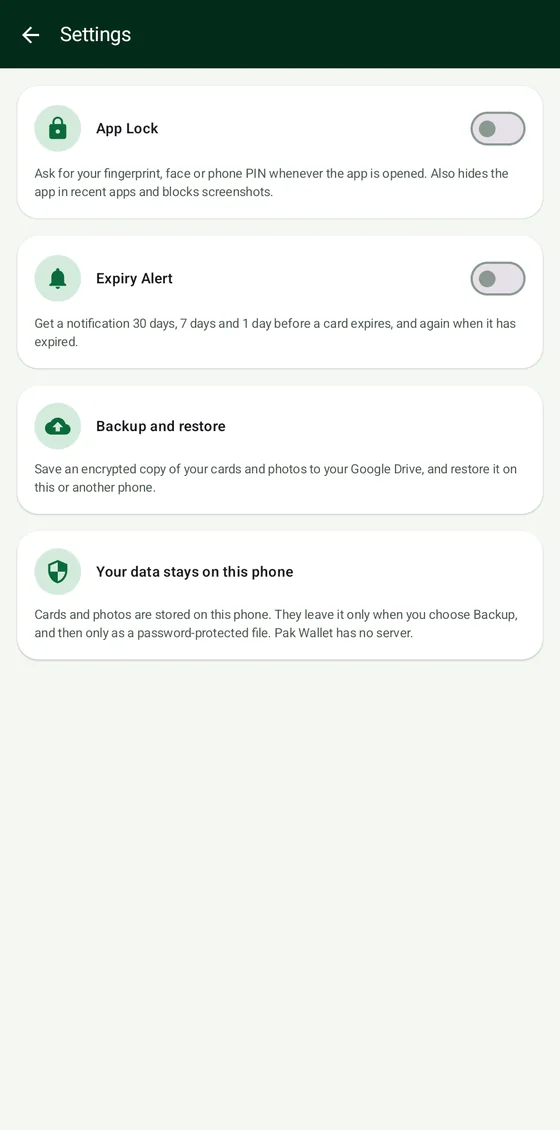
- Expiry alertsGet a notification 30 days, 7 days and 1 day before a card expires, and again once it has expired.
- App lockAsk for your fingerprint, face or phone PIN every time the app opens. App Lock also hides Pak Wallet in the recent apps screen and blocks screenshots.
- Account detailsFor bank cards you can optionally save the last 4 digits, IBAN or account number and Raast ID, with Copy and Share account details buttons.
- Share when you chooseEvery card has a Share button that sends a picture with its details. Nothing is shared unless you press it.
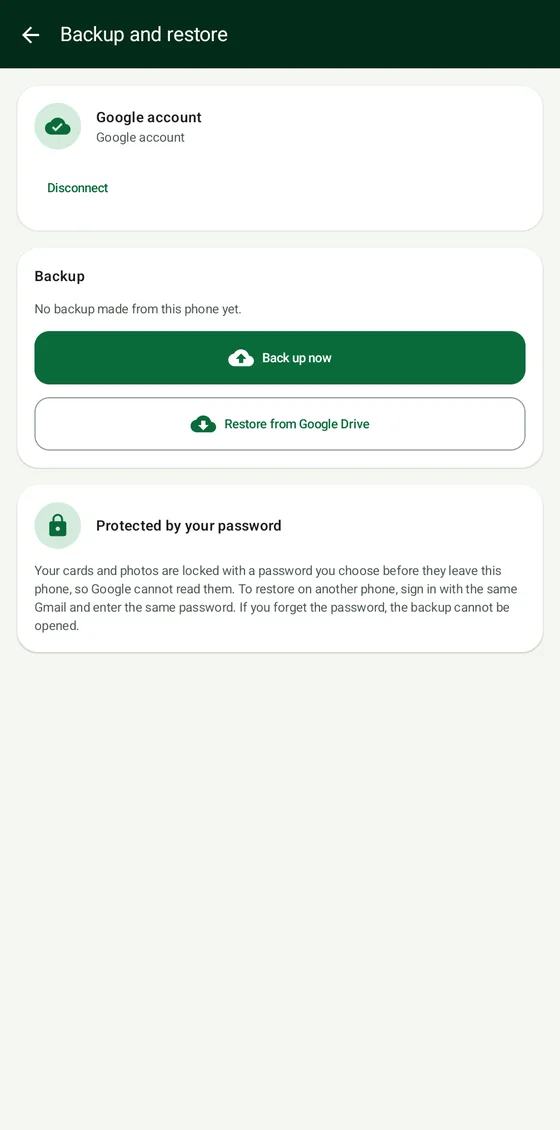
- Backup and restoreOptional. Save an encrypted copy of your cards and photos to your own Google Drive, and restore it on this or another phone.
How it works
Add a card
Tap Add card, photograph the front and back, choose a group and card name, and fill in the holder and dates.
Find it fast
Use search or the group buttons. The card you need is a tap away, with its details and picture.
Stay ahead of expiry
Turn on Expiry Alert in Settings and the app reminds you before a card runs out.
Back up if you like
Sign in with Google, choose a password and tap Back up now. On a new phone, use the same Gmail and password to restore.
Your data stays on your phone
Cards and photos are stored on your phone. Buildzent has no server for them, so we never see your cards. They leave the phone only when you choose Backup or Share.
A backup is locked with a password you choose before it leaves your phone, so Google cannot read it. If you forget that password, the backup cannot be opened, not even by us. Please keep it somewhere safe.
The app asks only for what it needs: the camera to photograph cards, notifications for expiry alerts, your fingerprint, face or screen lock for App Lock, and the internet for the optional backup.
App info
- Platform
- Android 8.0 or newer
- Internet
- Only for optional backup
- Price
- One-time price
- Developer
- Buildzent
- Support
- buildzent.app@gmail.com
Questions
Do I need internet or an account to use it?
No. Everyday use works fully offline and there is no Pak Wallet account. Internet and a Google sign-in are needed only if you choose to back up or restore.
Where are my card photos kept?
On your phone, inside the app. If you use Backup, an encrypted copy also goes to your own Google Drive. Buildzent never receives your cards.
What happens if I forget my backup password?
The backup cannot be opened. The password is what keeps Google and everyone else out, and we cannot reset it. Cards that are still on your phone are not affected.
How do I move to a new phone?
On the old phone, open Settings, then Backup and restore, and tap Back up now. On the new phone, install Pak Wallet, sign in with the same Gmail, enter the same password and tap Restore from Google Drive.
Is Pak Wallet an official ID or verified by banks or NADRA?
No. It is an independent app that stores your own copies for convenience. Always carry the original document where the law or an office requires it.
Can I add cards that are not in the list?
Yes. In Manage groups you can add your own groups and card names, for example a club or society membership.
How do I get the app?
Pak Wallet is shared by Buildzent outside Google Play. Press Download on this page or on the app list, signing in with Google when asked. The install guide shows the few steps for your phone.
Keep your cards in one safe place
Free to start, with Pro as a one-time payment. Questions or feature ideas? Write to buildzent.app@gmail.com.